
Products
★ Virtual Device ★
★ Audio ★
★ Screen Recorder ★
★ Converter ★
★ Disc ★
Installing the Virtual Audio Device for ZGZ Virtual Microphone
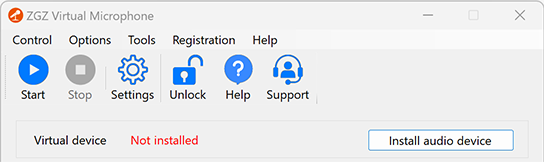
If your ZGZ Virtual Microphone displays this issue, you need to install the virtual audio device manually.
1. Select "Tools -> Install Virtual Audio Device".

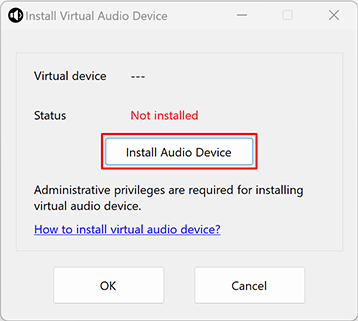
2. Click "Install Audio Device" button.
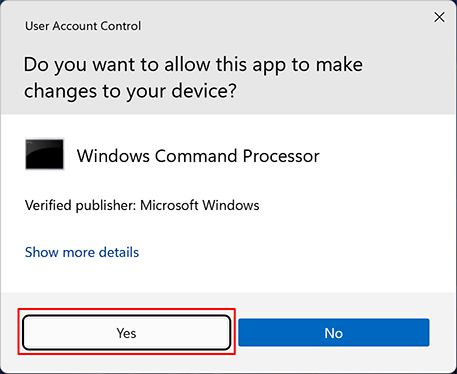
3. Click "Yes" to confirm.
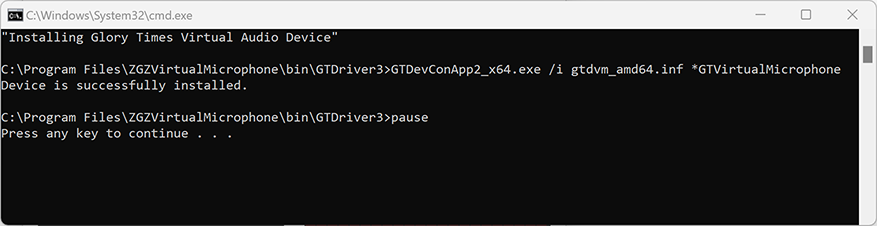
4. Press any key once the installation commands complete.
5. Click "OK".
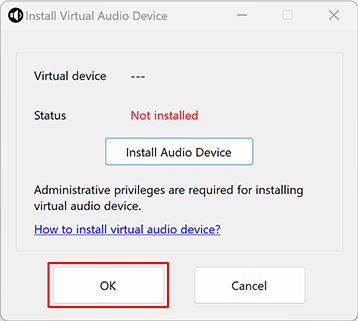
6. The virtual audio device is now installed.
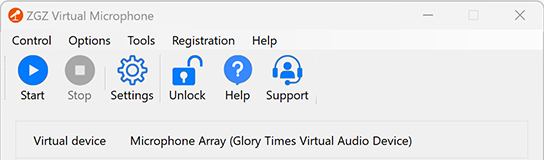
Congratulations! The installation was successful.
Privacy Policy
Terms of Service
About
Site Map
Copyright© 2002-2026 ZGZSoft Inc. All rights reserved.