
Products
★ Virtual Device ★
★ Audio ★
★ Screen Recorder ★
★ Converter ★
★ Disc ★
How to Use ZGZ Virtual Microphone on Skype?
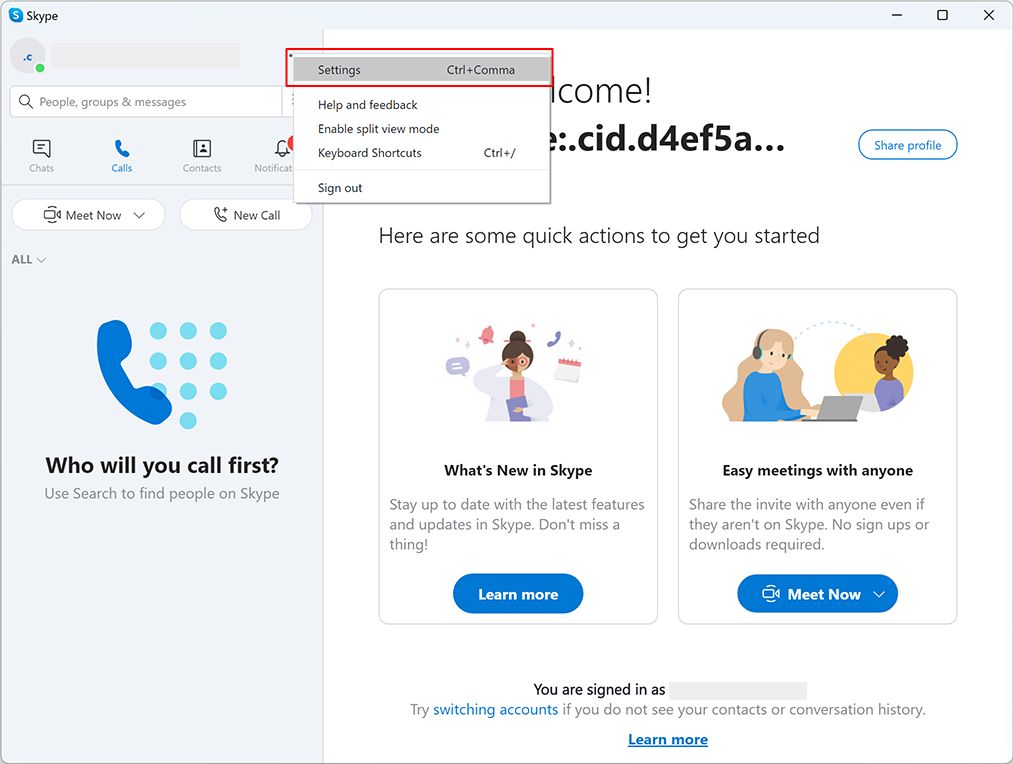
1. Open Skype and click on the "Settings" button.
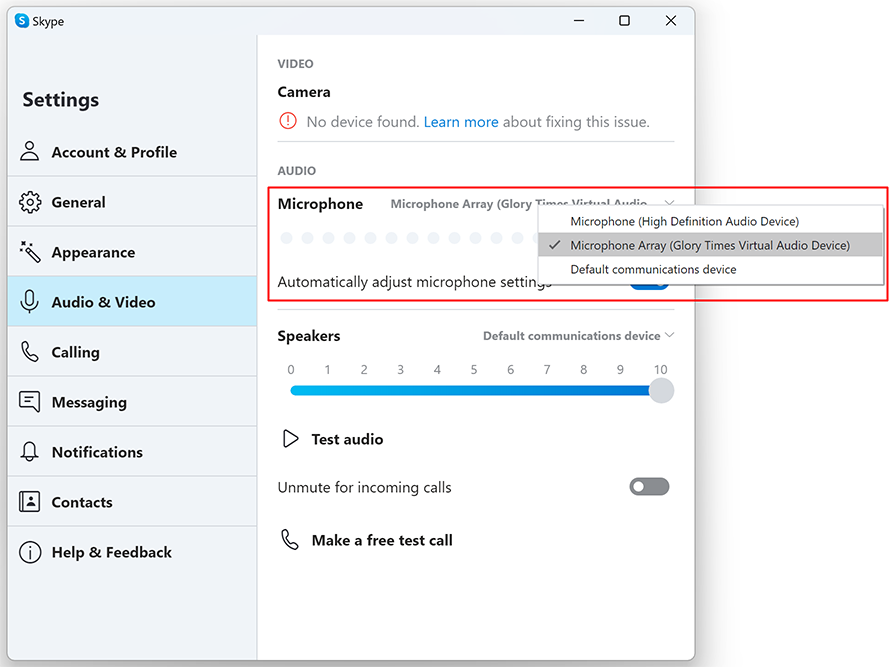
2. Choose "Microphone Array (Glory Times Virtual Audio Device)" as your default microphone.
3. That’s it! You’re ready to use it.
Privacy Policy
Terms of Service
About
Site Map
Copyright© 2002-2026 ZGZSoft Inc. All rights reserved.